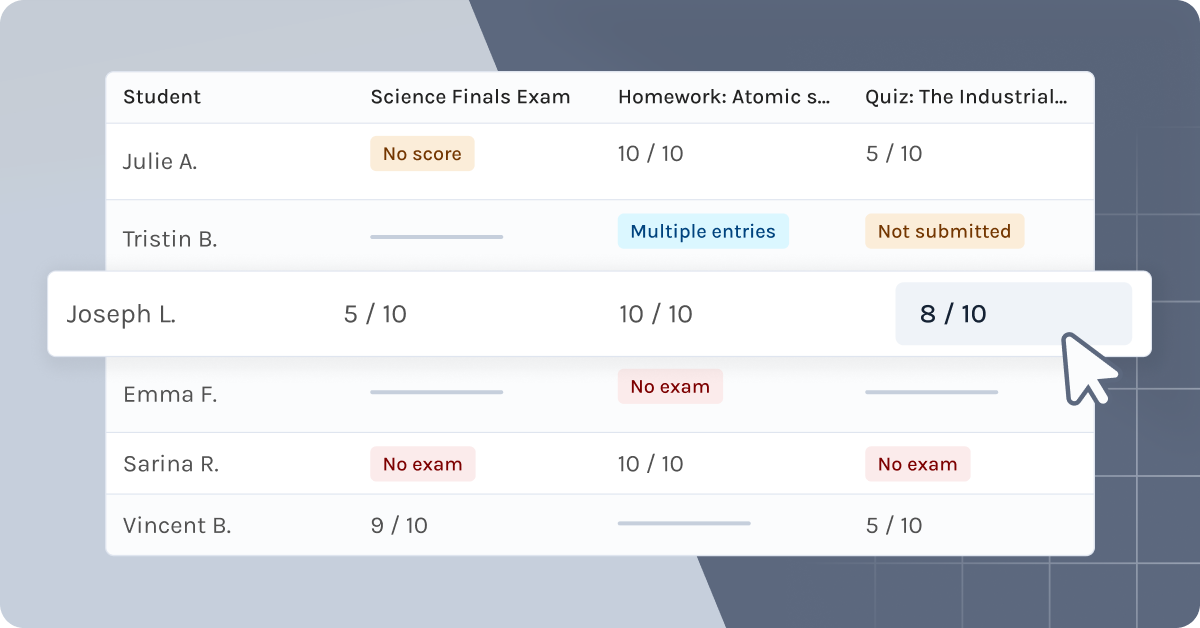
As classroom needs and conditions evolve, we continue to adapt Exam.net to best support teachers. Our latest update focuses on how we can help you get a better overview of assessment results.
New Group Results
We know that a significant amount of planning time is spent on analyzing student results. That is why we have developed a Group Results view that automatically compiles your students’ results in one place.
By gathering results from multiple exams, you can now track student performance across multiple exams, both at an individual and a group level.
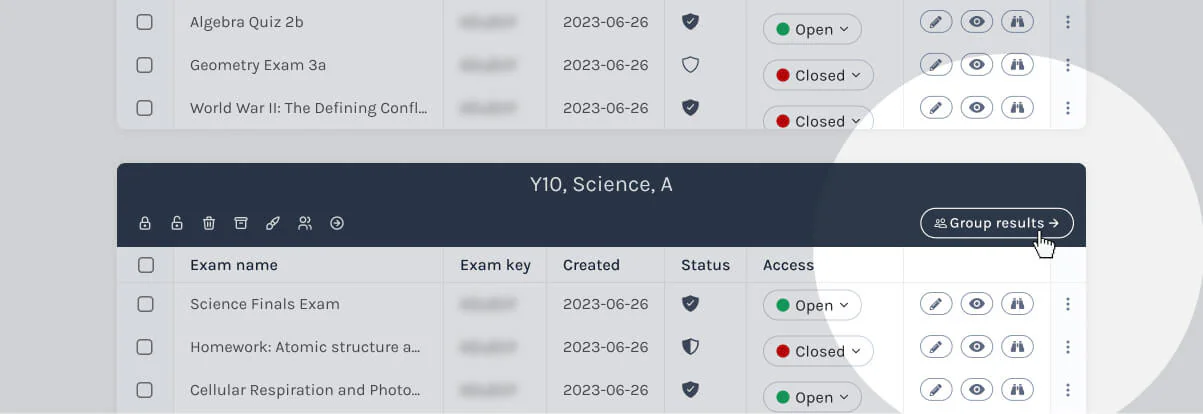
To access this feature, you need to have created Groups under My Exams and then navigate to Group Results.
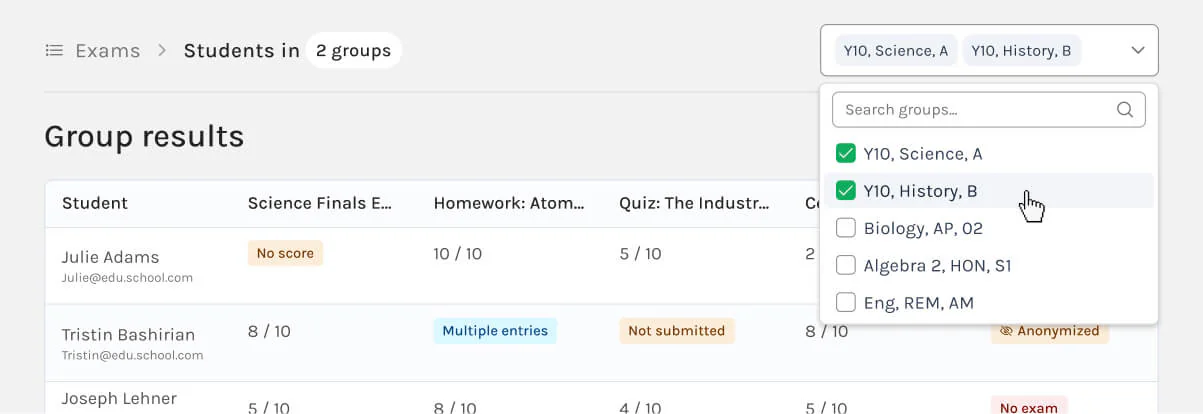
The overview serves as a foundation for further pedagogical analysis and lesson planning, and it is also a valuable tool for individual feedback.
The feature is currently available for auto-marked questions. We look forward to your feedback as we continue to develop this tool.
Read more about the Group Results here, and keep an eye out for an upcoming training video in our Help & Training section within the product.
With auto-marked e-assessments you reduce time and effort in grading exams. Read more about Exam.net as your e-assessment solution.